


Table of Contents
- Start Small: Gather Your First Family Memory Timeline Materials
- Choose the Right Digital Tools for Family Genealogy
- Organize Your Family History Research and Documents
- Conduct Meaningful Interview Questions for Family History
- Scan and Preserve Family Photos in Chronological Order
- Use a Family History Timeline Template to Structure Your Narrative
- Build Your Timeline Collaboratively and Handle Privacy Considerations
- Balance Your Research with Real Life
Last Updated: August 10, 2026
Start Small: Gather Your First Family Memory Timeline Materials
Creating a family memory timeline doesn't require perfection from day one. Begin with what you already have: old photos, documents, letters, or loose memories. Starting with a single decade or specific relative makes the project manageable rather than overwhelming.
Collect materials in one central location, a physical box, computer folder, or cloud storage like Google Drive. At this stage, gathering matters more than organizing. Ask family members if they have boxes of old photos or documents; many are relieved to have someone take on this project, and you'll often discover materials you didn't know existed.
Common materials include photographs, birth certificates, marriage licenses, letters, postcards, newspaper clippings, obituaries, and handwritten notes. Don't worry if items seem incomplete; the act of collecting creates momentum and surfaces forgotten memories.
Choose the Right Digital Tools for Family Genealogy
Selecting tools depends on your comfort level with technology and how collaborative you want the project to be.
For simplicity, Google Sheets or Microsoft Excel work well. Create columns for names, dates, events, locations, and notes. Sheets allows real-time collaboration if building with other family members.
Dedicated genealogy software like Ancestry.com or FamilySearch offers sophisticated family tree building and access to historical records, though they require learning their interface and may involve subscription costs.
Timeline-specific tools like Tiki-Toki or Timeglider emphasize storytelling over data organization, ideal if your goal is creating a cohesive family narrative rather than pure genealogical tracking.
At Treasure Charms, we understand that families want to preserve memories in ways that feel personal and meaningful. The key is selecting something you'll actually use consistently. Start with free options before investing in paid subscriptions.
Organize Your Family History Research and Documents
Organization transforms a collection of materials into an actual timeline. Without structure, even comprehensive research becomes difficult to navigate.
Create a Numbering System for Relatives
A numbering system prevents confusion when multiple people share names across generations. For generational numbering, assign numbers based on descent: Generation 1 might be your grandparents, Generation 2 their children, Generation 3 their grandchildren. Within each generation, number individuals left to right.
Alternatively, use initials combined with birth year (e.g., "JM-1952" for John Miller born in 1952). Document your numbering system clearly so you can quickly locate specific people when adding new information.
Establish a Digital Preservation and Backup Strategy
Digital preservation ensures your family memory timeline survives beyond your computer or phone. Use the 3-2-1 backup rule: keep three copies of important files, on two different types of media, with one copy stored off-site. For example, keep your master file on your computer, a copy on an external hard drive, and a copy in cloud storage (Google Drive, OneDrive, or iCloud).
Cloud storage services enable real-time collaboration with family members, automatic version history, and accessibility from any device. For physical items like old photographs, scan them at high resolution (at least 300 DPI for archival quality) and store scanned images in your cloud backup system. Original photographs should be kept in archival-quality storage, acid-free boxes, away from direct sunlight and humidity.
Create a simple inventory spreadsheet listing what you've scanned, where originals are stored, and which copies exist.
Conduct Meaningful Interview Questions for Family History
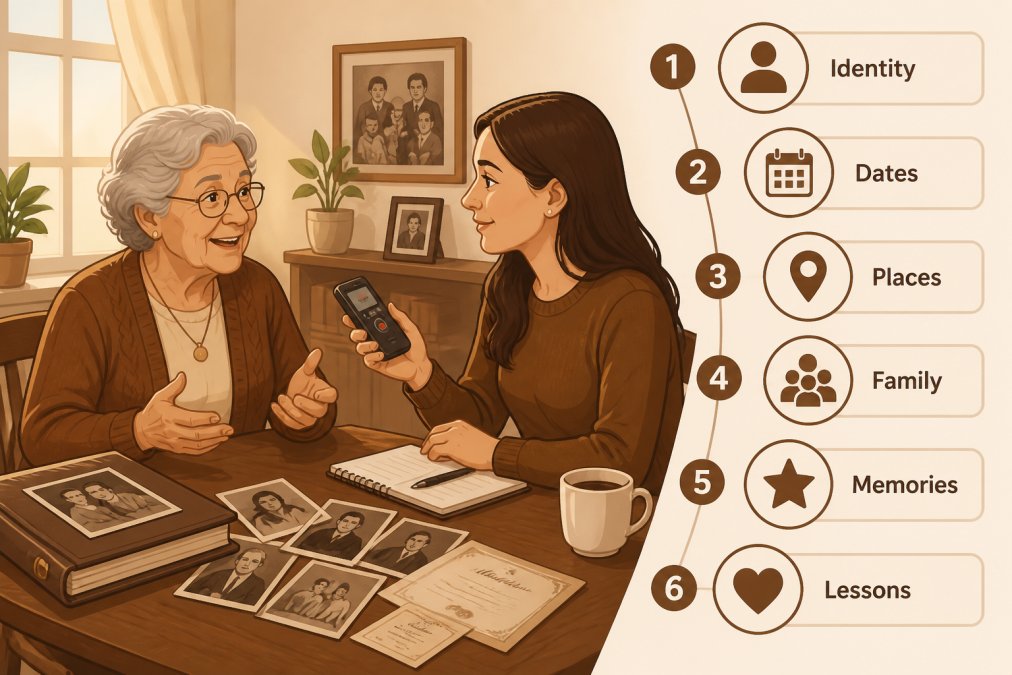
Oral history is irreplaceable. Recorded conversations with older relatives capture personality, voice, and perspective that no document can convey.
Effective interview questions move beyond dates and facts. Instead of "When were you born?" ask "What's your earliest memory?" Instead of "Where did you grow up?" ask "What did your neighborhood smell like? What games did you play outside?" These sensory questions produce stories that bring your family history to life.
Prepare questions in advance but don't follow them rigidly. Bring photographs or documents to trigger memories. Record interviews with permission using a smartphone. Ask about daily life: What did your parents do for work? What was dinner like? How did your family celebrate holidays? These everyday details create texture that genealogical data alone cannot provide.
Scan and Preserve Family Photos in Chronological Order
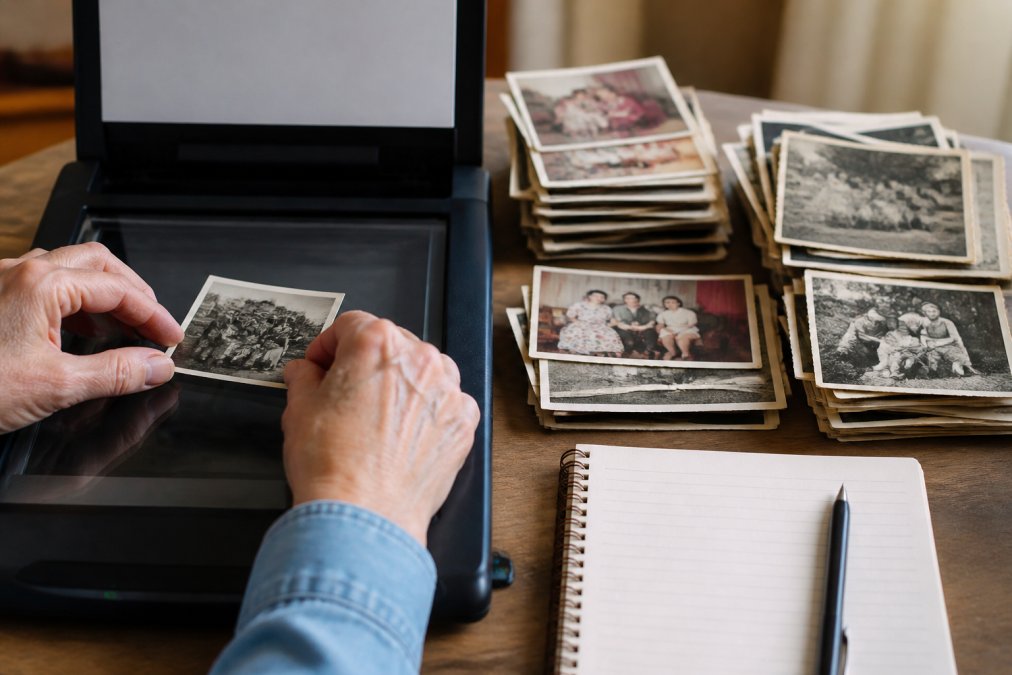
Photographs are your family's visual archive. Scanning and organizing them chronologically creates a visual timeline that complements your written research.
Organize photos chronologically before scanning by examining clothing styles, vehicles, building backgrounds, and any written dates or captions. Scan at 300 DPI minimum for archival purposes. Use a flatbed scanner if possible, as it's gentler on fragile originals. If you don't own a scanner, many libraries offer scanning services, or use a smartphone app like Google PhotoScan.
Create a simple naming convention including approximate date, people, and location: "1985-Smith-Family-Reunion-Backyard.jpg" makes searching your photo archive easier later.
Store original photographs in archival-quality boxes or sleeves away from direct sunlight. Label boxes with their contents and date range. For color photos, consider professional scanning to preserve color information. Store digital copies in multiple locations.
Use a Family History Timeline Template to Structure Your Narrative
A family history timeline template provides structure without forcing rigidity. A basic template includes columns for: Date, Person/Event, Location, Description, and Source. The "Source" column is crucial, note where information came from so others can verify facts later.
Consider organizing by major life events rather than strict chronology. Group related events together: births and marriages in one section, relocations in another, career milestones in another. Include space for anecdotes and context. A timeline stating "John married Mary, 1952" is less compelling than one adding: "John and Mary met at a church social in 1951. John was a mechanic; Mary worked as a teacher. They married in the church basement with 40 family members present."
Many families find a combination approach works best: a structured spreadsheet for data organization, combined with a narrative document for storytelling.
Build Your Timeline Collaboratively and Handle Privacy Considerations
Collaborative timelines invite family members to contribute memories, documents, and corrections. Set up a shared document using Google Docs or a shared cloud folder. Establish clear guidelines: who can edit, what format to use, and how to handle disagreements about facts.
Establish privacy boundaries before inviting contributors. Decide what information is appropriate: Do you include medical history? Financial information? Divorce details? Create a simple privacy policy for your timeline. Consider creating different versions for different audiences, a private version with sensitive information and a version shared with extended family excluding it.
Document your sources and methods. Note where information came from, any assumptions you made, and areas where information conflicts or remains uncertain.
Balance Your Research with Real Life
Family history research can consume enormous amounts of time. Set realistic goals like "document three generations" rather than "complete the entire family history." Schedule research time rather than letting it sprawl, dedicating two hours on Saturday mornings is more sustainable than sporadic marathon sessions.
Accept incompleteness. Every family history has gaps and missing documents. Document what you can find, note where information is missing, and move forward. Share progress with family members to maintain their interest and distribute the labor.
Remember why you started. Family history research is fundamentally about connection and honoring the people who came before. When the project feels like a burden, step back and reconnect with that purpose.
Creating a family memory timeline is one of the most meaningful projects you can undertake. It preserves your family's story for future generations and deepens your understanding of where you come from. At Treasure Charms, we believe that honoring family connections matters, whether through personalized gifts that celebrate milestones or through the careful documentation of your family's history. Start small, choose tools that fit your comfort level, and remember that progress matters more than perfection. Your family's story deserves to be preserved, and you're the one to do it.
| Step | Focus | Realistic Timeframe |
|---|---|---|
| Gather materials | Collect existing photos, documents, letters | 1-2 weeks |
| Choose tools | Select software or template approach | 1-2 days |
| Organize & number | Create system for relatives and documents | 1-2 weeks |
| Conduct interviews | Record conversations with older relatives | 1-3 months (ongoing) |
| Scan & preserve | Digitize photos and establish backups | 2-4 weeks |
| Build narrative | Create structured timeline or memoir | 1-3 months |
| Collaborate | Share with family, gather feedback | Ongoing |
Frequently Asked Questions
What information should be included in a family memory timeline?
Your family memory timeline should include birth dates, marriage dates, major life milestones, career achievements, relocations, and significant family events. Add names, locations, and dates for each milestone. Include anecdotes, oral histories, and biographical details that capture your relatives' personalities and life stories. Photos, documents, and primary sources strengthen the narrative. Focus on chronological order while weaving in the human stories that make your family's heritage meaningful and memorable.
How can I involve children in creating a family memory timeline?
Involve children by assigning age-appropriate tasks: younger kids can help sort and organize photos, while older children can conduct interviews with grandparents or research ancestral records. Let them decorate or design sections of the timeline. Make it interactive by having them ask relatives about favorite memories or family traditions. This teaches them about their heritage, strengthens family bonds, and creates lasting memories of the research process itself.
What are the best digital tools for family genealogy?
Popular options include Ancestry.com for genealogy research and archival records, FamilySearch for free family tree building, and Canva for timeline visualization. For interviews, use voice recording apps or video platforms. Google Drive or Dropbox offer cloud backup for digital preservation of documents and photos. Timeline software like Timeglider or Timeline.js helps structure your narrative chronologically. Choose tools based on your comfort level with technology and whether you prefer free or paid options with more advanced features.
How do I preserve old family photos digitally?
Scan physical photos at 300-600 DPI using a flatbed scanner or professional scanning service for high-quality digital preservation. Organize scanned images with descriptive filenames including dates and subjects. Store files in multiple locations: external hard drives, cloud services like Google Drive or OneDrive, and ideally a secondary backup. Use photo restoration software if images are damaged. Create metadata tags with names, dates, and locations for easy searching. This protects your family archives from loss while making them accessible for your family memory timeline.
This article was written using GrandRanker


